
Last Updated: 12 October 2026
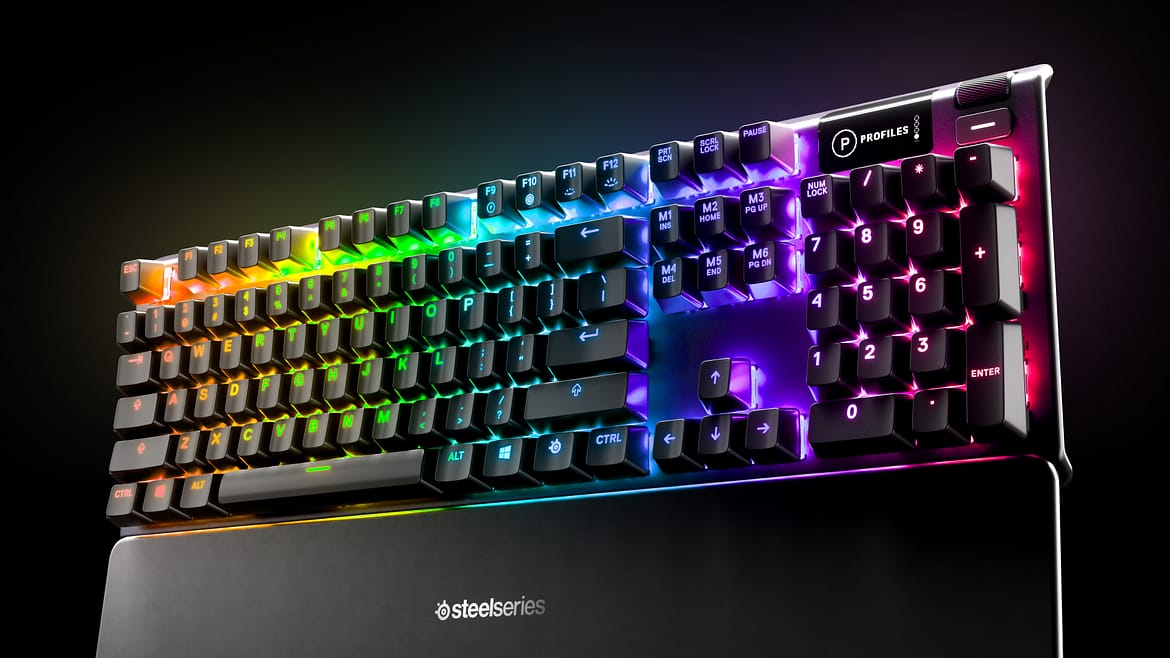
If you are looking for a premium gaming keyboard that does not break the bank, you have likely come across the SteelSeries Apex 5.
Sitting comfortably in the £80-£100 price bracket, the Apex 5 attempts to bridge the gap between expensive mechanical decks and budget membrane boards. It features a stunning OLED Smart Display, aircraft-grade aluminium alloy, and SteelSeries’ unique “Hybrid Blue” switches.
But is a “hybrid” keyboard actually worth your money, or should you just save up for a full mechanical one? After testing it extensively with titles like The Elder Scrolls Online, here is my full SteelSeries Apex 5 review.
Design and Build Quality
The first thing you notice about the SteelSeries Apex 5 keyboard is the build quality. SteelSeries has a reputation for attention to detail, and it shows here.
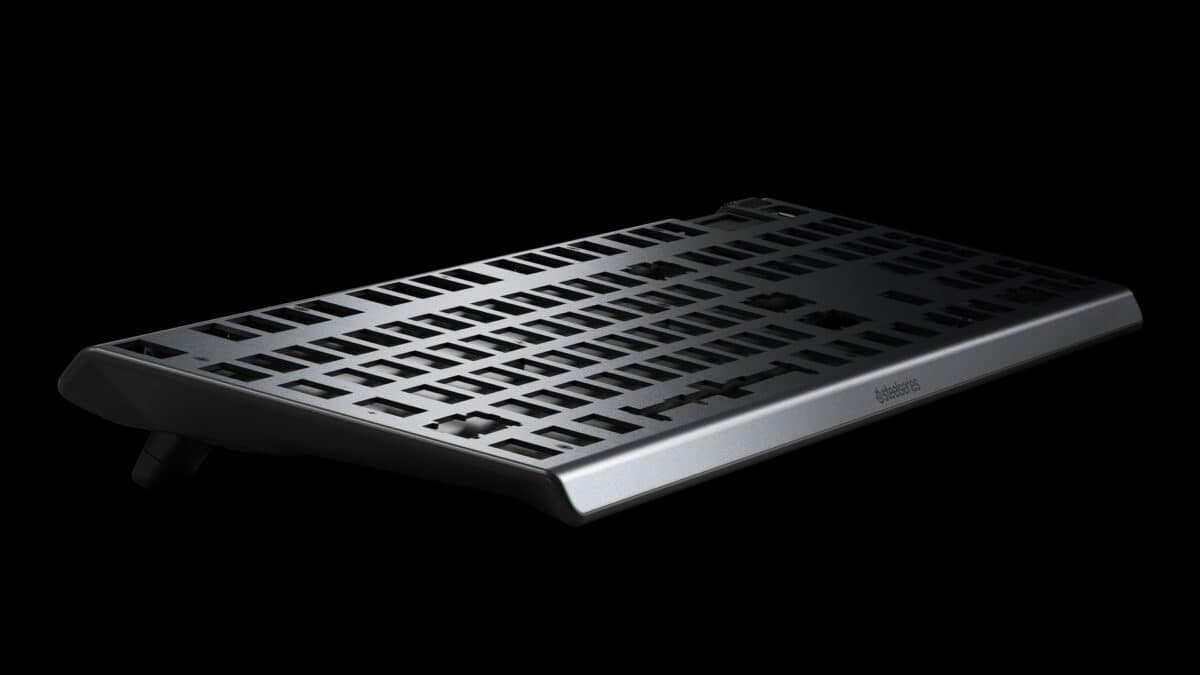
The frame is constructed from an aircraft-grade aluminium alloy. This gives the keyboard a rigid, premium feel that is rare at this price point. When I attempted to press down on the frame to test flex, there was almost no movement. It feels built to last.
Measuring 442.8mm in width and 139.2mm in depth, it is a full-sized keyboard that still feels relatively compact on the desk. It also includes a premium magnetic wrist rest. Unlike the hard plastic rests you get with other brands, this one has a soft-touch coating and eight rubber feet, making it incredibly comfortable for long gaming sessions.
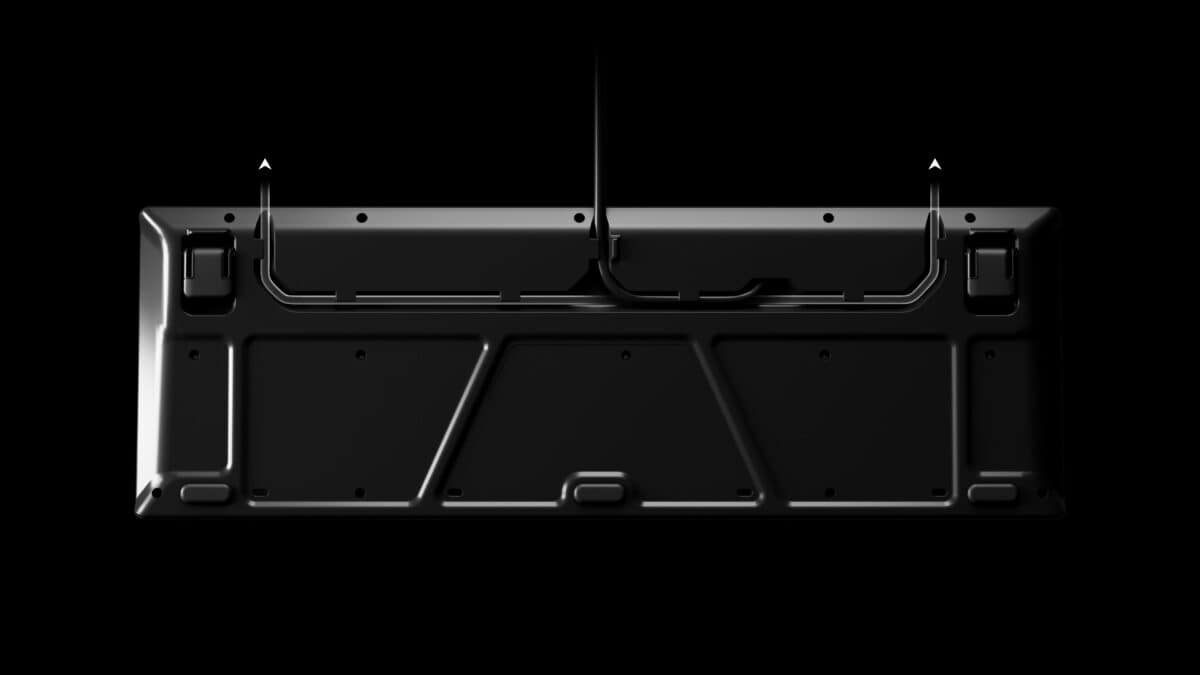
Cable Management One critique I have read in other SteelSeries Apex 5 reviews is the lack of a detachable cable. While a detachable USB-C cable would be nice, SteelSeries compensates with a three-way cable routing system underneath the frame. This allows you to direct the cable to the left, right, or centre, keeping your desk setup clean.
The “Hybrid Blue” Mechanical Switches
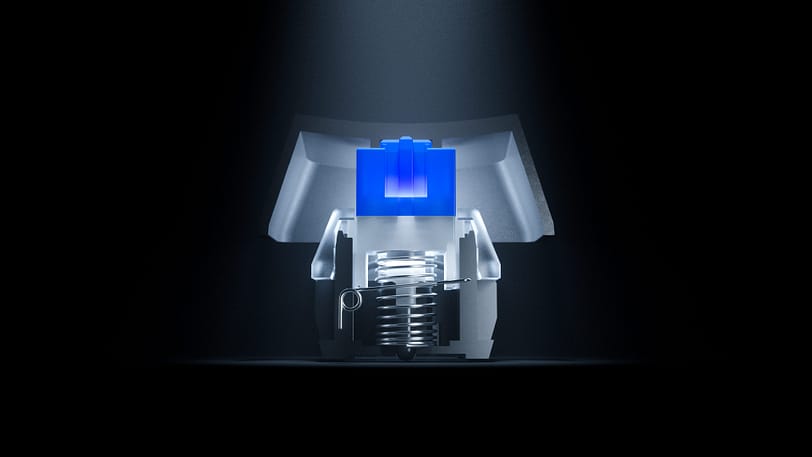
This is the most important part of the review. What exactly is a “Hybrid” switch?
The Apex 5 uses Hybrid Blue Mechanical Gaming Switches. In simple terms, these switches combine the smoothness of a membrane switch with the tactile “click” and durability of a mechanical blue switch.
They feature a mechanical spring for that satisfying clicky feel, but they actuate on a membrane circuit rather than a gold-plated mechanical contact. The result is a key that feels snappy and tactile but is rated for 20 million keypresses.
The keys actuate at 2mm with a total travel of 4mm. In my testing, they felt responsive and consistent. They are not quite as sharp as a Cherry MX Blue, but for a hybrid, they provide a fantastic typing experience.
Features: OLED Smart Display & RGB
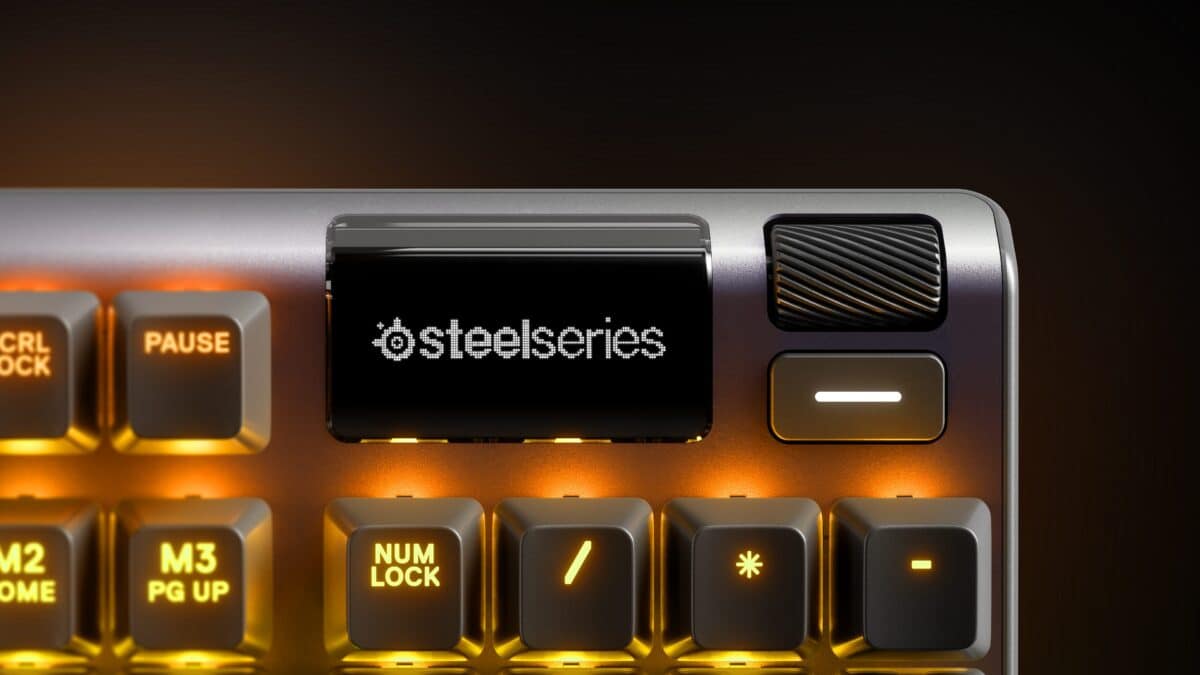
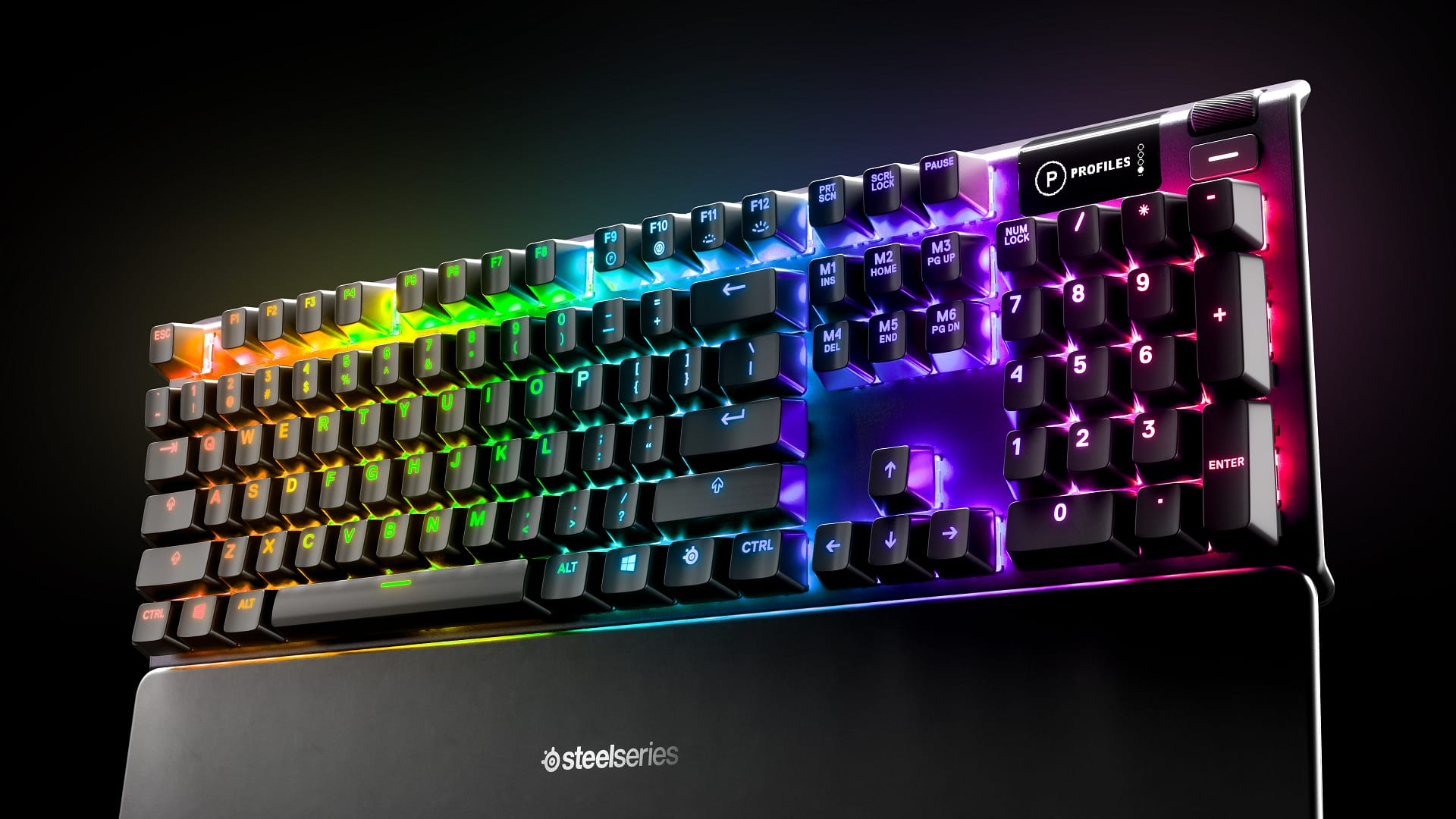
The standout feature of the Apex 5 keyboard is the OLED Smart Display located in the top right corner.
This is a feature usually reserved for the much more expensive Apex Pro line. This tiny screen allows you to:
- View Discord messages and speaker info.
- Check in-game stats (like K/D ratios in supported games).
- Control music (Spotify) without alt-tabbing.
- Display custom GIFs or logos.
Next to the screen is a clickable metal roller and a media key. These allow you to adjust volume and settings on the fly without opening software.
RGB Illumination As expected from SteelSeries, the RGB lighting is best-in-class. It features per-key illumination, meaning you can customise every single key. You can set WASD to a different colour for FPS games or have reactive typing effects where keys light up as you press them.
Gaming Performance
How does it handle in-game? I tested the Apex 5 primarily with MMORPGs like The Elder Scrolls Online.
The performance was flawless. The tactile click of the Blue switches gives you confirmation that a skill has been pressed, which is vital in high-stakes gameplay. The keyboard supports 24-key rollover, ensuring that even if you mash multiple keys at once during a boss fight, every input is registered.
The SteelSeries Engine software makes setting up macros easy. You can rebind the six macro keys (Insert, Home, Page Up, etc.) to complex in-game commands, giving you an edge in MMOs or MOBAs.
Is the Apex 5 Worth It?
The SteelSeries Apex 5 is a fantastic middle-ground for gamers who want premium features without the £150+ price tag.
You get the build quality of a flagship keyboard, the utility of the OLED screen, and the aesthetic of per-key RGB. While hardcore enthusiasts might miss “true” mechanical switches, the Hybrid Blue switches are a joy to use for both typing and gaming.
If you are looking for a feature-packed SteelSeries keyboard that looks and feels expensive but costs under £100, you cannot go wrong with the Apex 5.
Pros:
- Premium aluminium build
- OLED Smart Display is a game-changer
- Excellent magnetic wrist rest included
- Satisfying tactile click
Cons:
- Non-detachable cable
- Hybrid switches are loud (not great for shared offices)
You can pick up the SteelSeries Apex 5 on Amazon.
FAQ: SteelSeries Apex 5
Is the SteelSeries Apex 5 mechanical? The Apex 5 is “Hybrid Mechanical.” It uses a mechanical spring for the tactile click and feel, but uses membrane technology for the actual signal registration. This keeps the cost down while maintaining the mechanical feel.
Is the Apex 5 loud? Yes. The Hybrid Blue switches are designed to be “clicky.” They sound very similar to Cherry MX Blue switches, so they might be too loud for a quiet office environment or late-night gaming if you share a room.
Does the Apex 5 work on Mac? Yes, the keyboard works on Mac, Xbox, and PS4/PS5. However, the SteelSeries Engine software (for customising the OLED screen and RGB) is best used on Windows or Mac OS.
Can you change the keycaps on Apex 5? Yes. The switches use standard MX stems, meaning you can swap the keycaps for any custom Cherry MX compatible keycaps if you want to customise the look.